

Salon inventory app for UK hair salons: Your salon shelf,
always stocked.
How it works
Salon stock in three steps, from the delivery to the backwash.
- 1
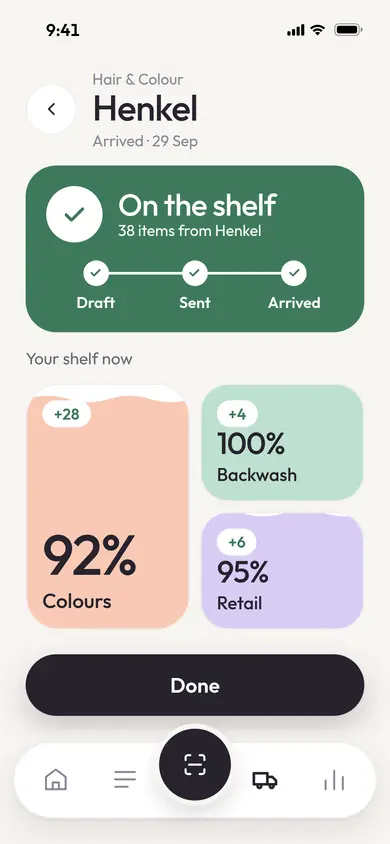
Invoices in
Photograph or upload a supplier invoice. StockTend reads it and adds every line to your shelf.
- 2
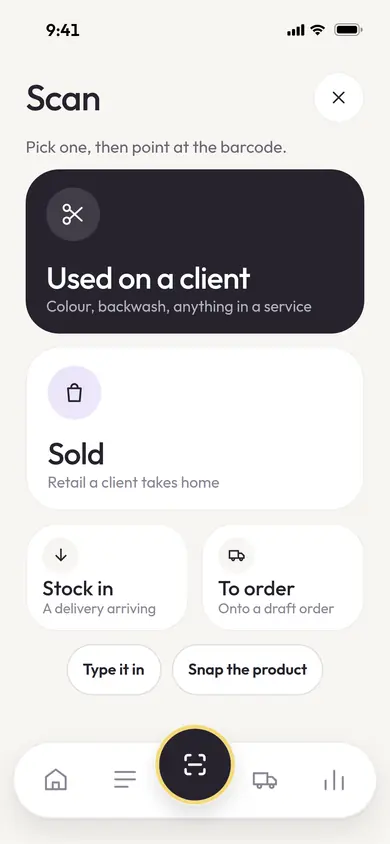
Scan out
Scan a product when it’s sold or used at the backwash. Everyone in the salon sees the same live count.
- 3
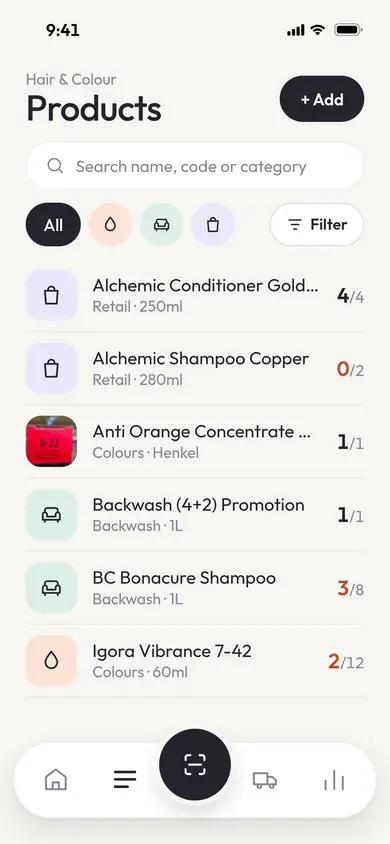
Manage
Colours, Backwash and Retail in one list, plus Sundries (gloves, foils, cotton wool, blades) if you want to track them.
Real StockTend screens, shown with demo data.
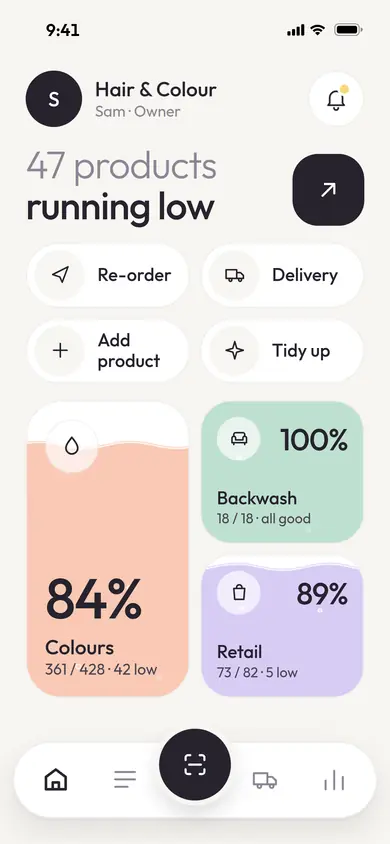
Restock list
Know what’s running low before it runs out.
A salon-wide rule flags anything that drops below your level, and it lands on one restock list the whole team can see.
For salons
Salon stock control, made for the salon floor.
One workspace for the whole team
One workspace per salon. Invite the team by link and everyone works from the same stock list.
iPhone and Android apps
A salon stock app for iPhone and Android, with the phone camera ready to scan.
- Coming soon
Restock from your suppliers
Order straight from your suppliers inside StockTend. It’s in development now.
Questions
Salon stock questions, answered.
What is the best salon inventory app?
The best salon inventory app is the one your team will actually use on the salon floor. Look for barcode scanning on a phone, separate backbar and retail stock, running low alerts and a quick way to get supplier invoices in without retyping. StockTend is built around exactly those jobs for hair salons.
How do salons track backbar stock?
Salons either count the backbar at set times, such as the end of each week or month, or record each product as it is used. With StockTend, a stylist scans a product when it is used on a client, so the backbar count stays live and the whole team can see what is running low.
How does StockTend read supplier invoices?
Take a photo of a supplier invoice or delivery note, or upload the PDF. StockTend reads the supplier, the products and the quantities, matches each line to your product list and asks you to check anything it is unsure of. When you confirm, every line is added to your shelf.
How does StockTend know what is running low?
Every scan and every delivery updates the live count. A salon-wide rule flags anything that drops below your level, and it appears on the running low list the whole team can see, so it can go on the next order before it runs out.
Is StockTend salon management software?
No. StockTend is the stock part of running a salon, not a booking system. Keep your salon management software for appointments, clients and payments, and use StockTend alongside it for products: invoices in, scanning out and seeing what is running low. It works on its own, so your booking system stays as it is.
Does StockTend work on iPhone and Android?
Yes. StockTend is an app for iPhone and Android, on the App Store and Google Play. Your team can use the phones they already carry: the camera scans barcodes and photographs delivery notes.
Comparing apps? Read the best salon inventory apps in the UK. New to stock control? Start with our salon stock control guide, or browse all StockTend guides.
Take back control of your inventory.